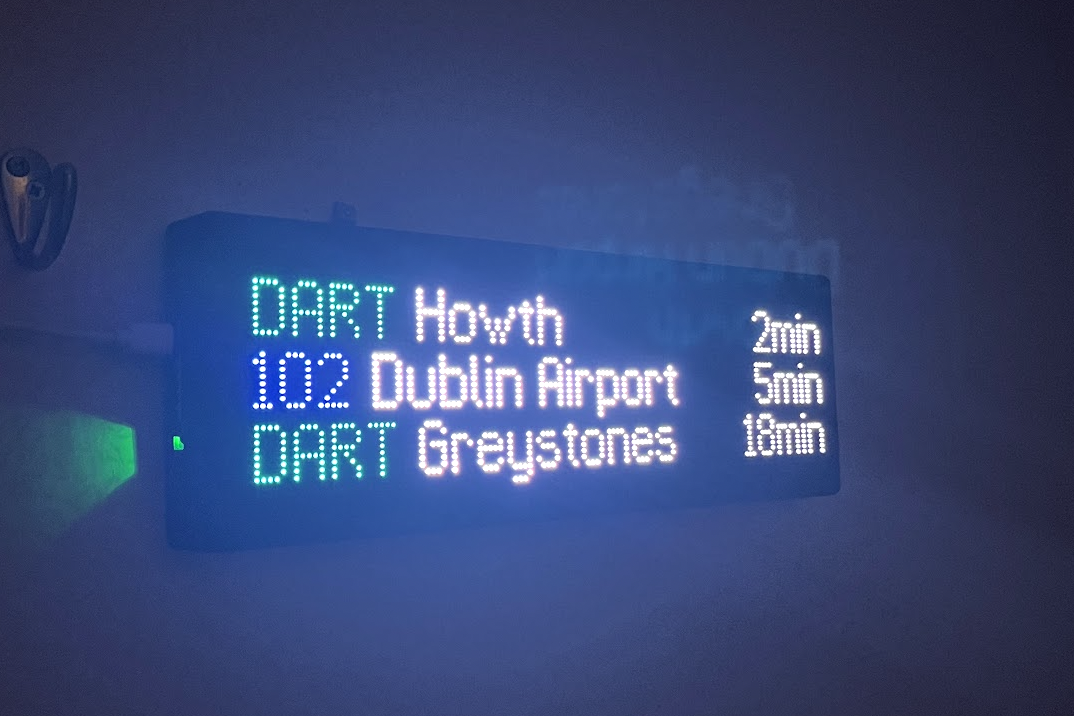
Inspired by the Transit Tracker project by East Side Urbanism in the United States, and this tweet.
This post isn't going to be an in depth build guide, but rather a collection of notes on how to get one of these kits up and running with Irish real time transport information.
Read more about the "Transit Tracker" project, and details on how to build your own here. https://transit-tracker.eastsideurbanism.org/docs/introduction
Equipment List
- 1x Adafruit Matrix Portal S3 - £14.88 (€16.98)
- 2x Waveshare RGB-Matrix-P2.5-64x32 - £13.84/ea (€31.58 total)
- 12x M3 x 8mm machine screws - Amazon, B&Q, etc.
- USB-C cable and power supply (5V USB port is sufficient).
- 3D Printed Case
In total, I paid about £67 including delivery and Irish VAT for the Adafruit board and the Waveshare LED panels from The Pi Hut. I've been buying from them for over a decade now and never had any issues, so I do recommend them if you're looking to build one of these yourself.
The case was 3D printed by a colleague using the provided model available on Printables. If you don't have access to a 3D printer, you can pay to have models printed online but I don't have any experience with those so can't recommend any unfortunately.
Alternatively, many libraries in Dublin have 3D printers which are freely available for members of the public to use!
- South Dublin County Council libraries - link
- Coolock Library Maker Space - Dublin City Council - link
- Dún Laoghaire-Rathdown libraries - link
Digital Items
- An API key for the NTA's GTFS-R feed. (Free)
- A wireless internet connection.
GTFS-R Data in Ireland
GTFS-R (General Transit Feed Specification - Realtime) is a data feed specification that provides public transportation agencies with a way to share real-time information with applications, developers and ultimately passengers. It extends the original GTFS by adding real-time updates for things like vehicle location, delays, service alerts, and updated arrival times. This is what powers Google Maps and websites like bustimes.org and bustracker.ie.
Helpfully the National Transport Authority (the agency behind the Transport for Ireland brand) have a GTFS-R API available for all public transport routes and operators within their remit. You will need to register and obtain an API key, however. This is fairly straightforward and can be done at https://developer.nationaltransport.ie/. You'll need this key for the next step.
Hosting the API server
As at the time of writing in November 2025, the API provided by the Transit Tracker project does not include transport information for Ireland. However, helpfully, they have provided the ability to run your own. You will need somewhere to run the API server with Docker, such as a Raspberry Pi, VPS or old computer.
Ultimately, you just need to set up the FEEDS_CONFIG environment variable with the NTA provided GTFS-R data sources for static data as well as the actual GTFS-R API endpoint and your API key. You can see my example Docker compose file below.
If I've got this right, you should only need to add your API key in beside x-api-key. (and maybe use a more secure password for Postgres 😄)
services:
  api:
    image: ghcr.io/tjhorner/transit-tracker-api:main
    depends_on:
      - postgres
      - redis
    environment:
      REDIS_URL: "redis://redis:6379"
      DATABASE_URL: "postgres://postgres:postgres@postgres:5432/gtfs?sslmode=disable"
      FEEDS_CONFIG: |
        feeds:
          nta:
            name: NTA GTFS-R
            description: NTA GTFS-R
            gtfs:
              static:
                url: https://www.transportforireland.ie/transitData/Data/GTFS_Realtime.zip
              rtTripUpdates:
                url: https://api.nationaltransport.ie/gtfsr/v2/TripUpdates
                headers:
                  x-api-key: <your_key>
    ports:
      - "3000:3000"

  postgres:
    image: postgres:17
    expose:
      - "5432"
    environment:
      POSTGRES_USER: postgres
      POSTGRES_PASSWORD: postgres
      POSTGRES_DB: gtfs
    volumes:
      - "db:/var/lib/postgresql/data"

  redis:
    image: redis:6
    expose:
      - "6379"

volumes:
  db:
Once you've modified the docker compose file to include your API key, we'll need to download and process the static GTFS data from the NTA. To do this, run:
docker compose run --rm api "pnpm gtfs:db:migrate && node ./dist/cli sync"This will take a few minutes to run, as you'll be parsing and processing information for every transit stop and route in Ireland.
 You should see something like this as the static GTFS data is being processed.
Once complete, you should be good to bring up the API server with a quick "docker compose up -d".
You should see something like this as the static GTFS data is being processed.
Once complete, you should be good to bring up the API server with a quick "docker compose up -d".
root@DUBDOCKER802:~/transit-tracker-api > docker compose up -d
[+] Running 4/4
  ✔ Network transit-tracker-api_default       Created
  ✔ Container transit-tracker-api-redis-1     Started
  ✔ Container transit-tracker-api-postgres-1  Started
  ✔ Container transit-tracker-api-api-1       Started
After a few moments you should be able to navigate to http://
- /openapi - for a Swagger UI
- /feeds - to view a list of configured feeds (you can configure multiple, for example you could include NI GTFS-R data if you wanted, alongside NTA).
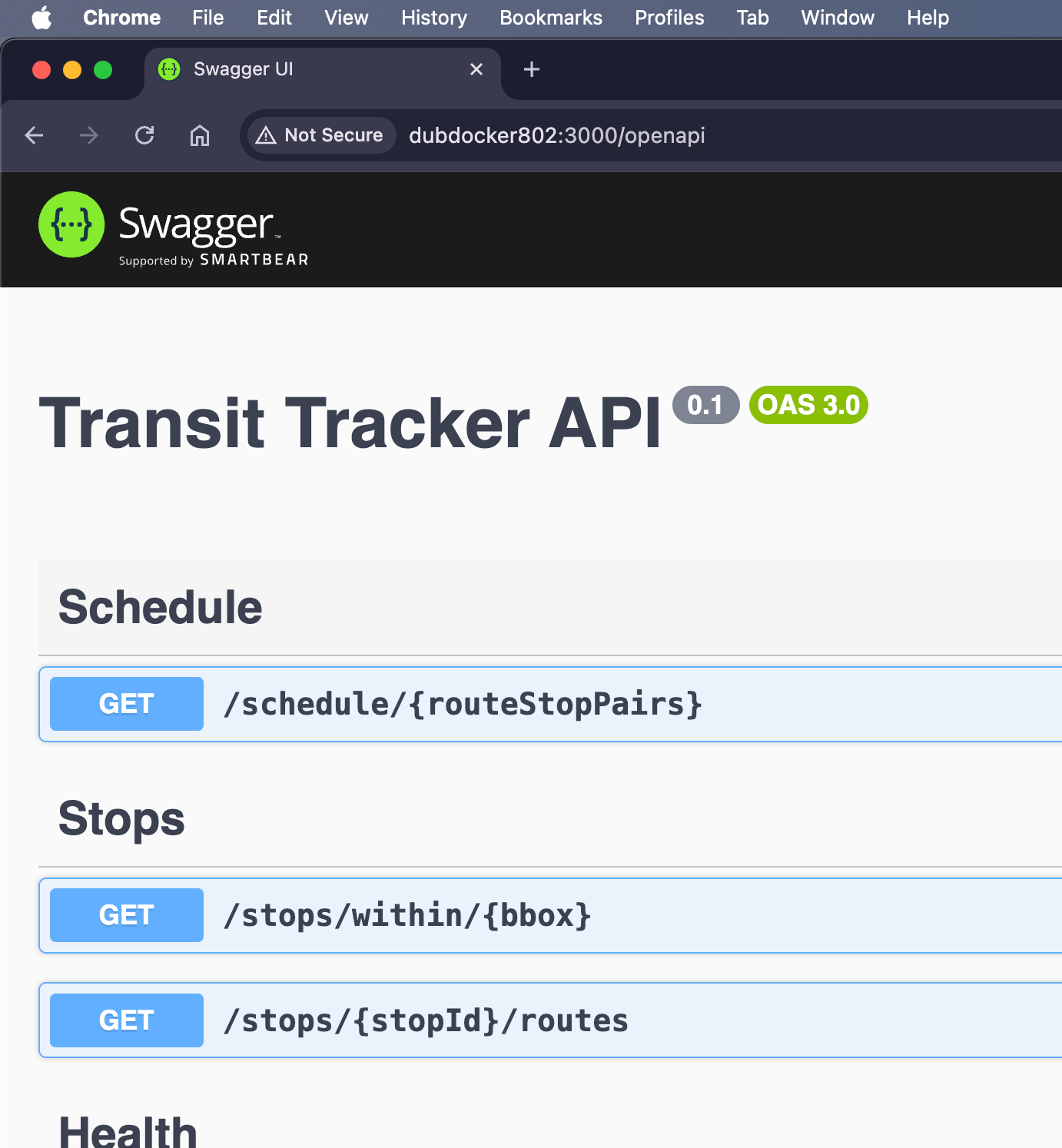 /openapi route - Swagger UI for Transit Tracker API
Now that the API server is running, you should be good to go. Ensure you point the configurator tool to your self-hosted API server, and then you should be able to visualise what things will look like using the "Routes" tab. From there the setup is pretty much straightforward.
/openapi route - Swagger UI for Transit Tracker API
Now that the API server is running, you should be good to go. Ensure you point the configurator tool to your self-hosted API server, and then you should be able to visualise what things will look like using the "Routes" tab. From there the setup is pretty much straightforward.
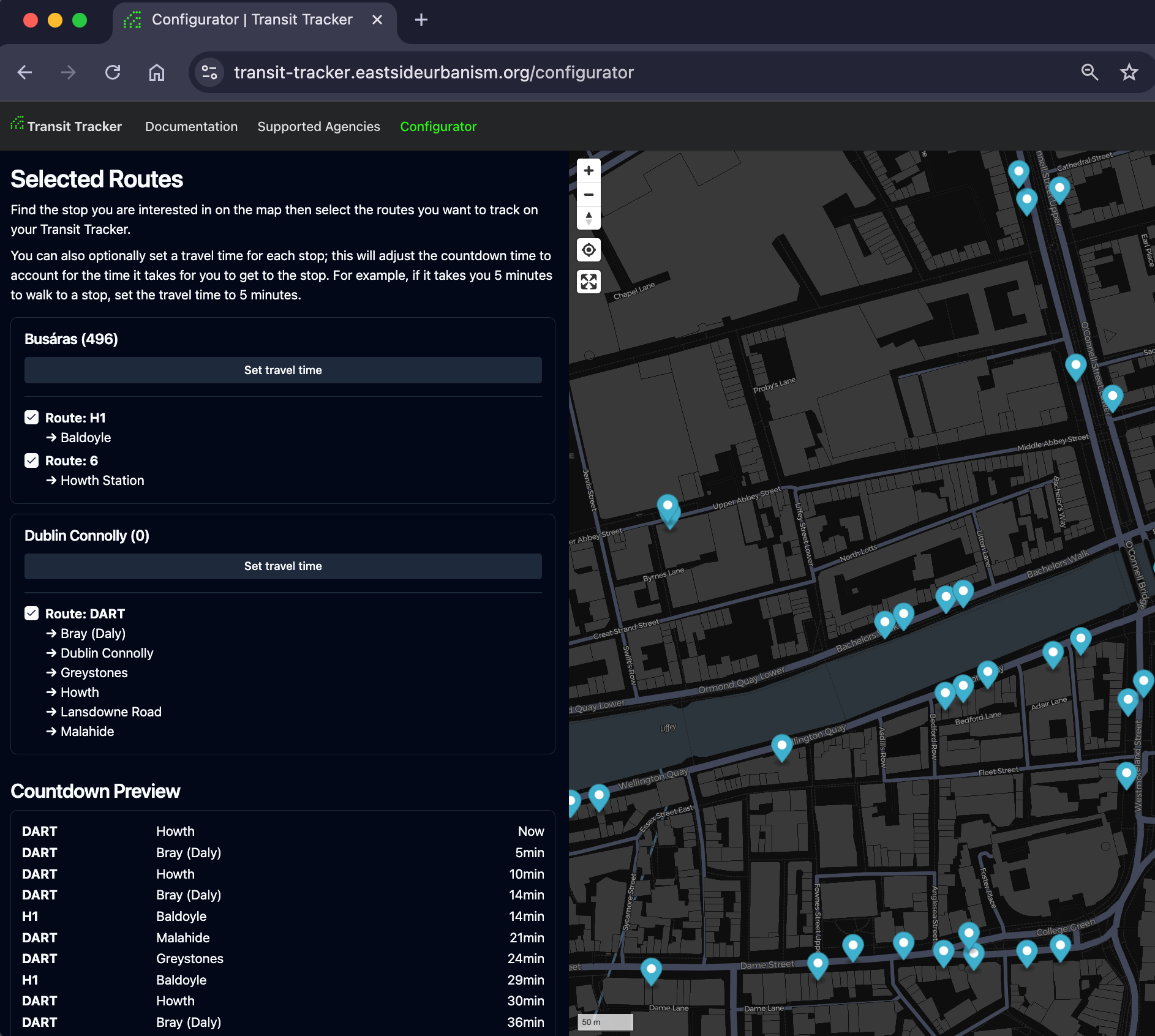 Note that in my setup, I put mine behind a reverse proxy so that I could have SSL, and access the API from outside my home. You might encounter CORS errors or insecure resource access errors though when using the configurator tool if you don't do this.
CORS errors using the configurator tool
You may need to configure Access-Control-Allow-Origin HTTP headers in your reverse proxy to allow transit-tracker.eastsideurbanism.org.
Insecure resource access errors
You might see these using the configurator tool as the page uses HTTPS and the self-hosted API server will by default only use HTTP. HTTPS resources calling on HTTP (insecure) resources is generally not allowed by most browsers these days.
If you're hosting at home, could use something like Cloudflare Tunnels (free) to get free SSL termination.
Final thoughts
For some added fun, you can even add the Adafruit Matrix Portal S3 to Home Assistant or ESPHome.
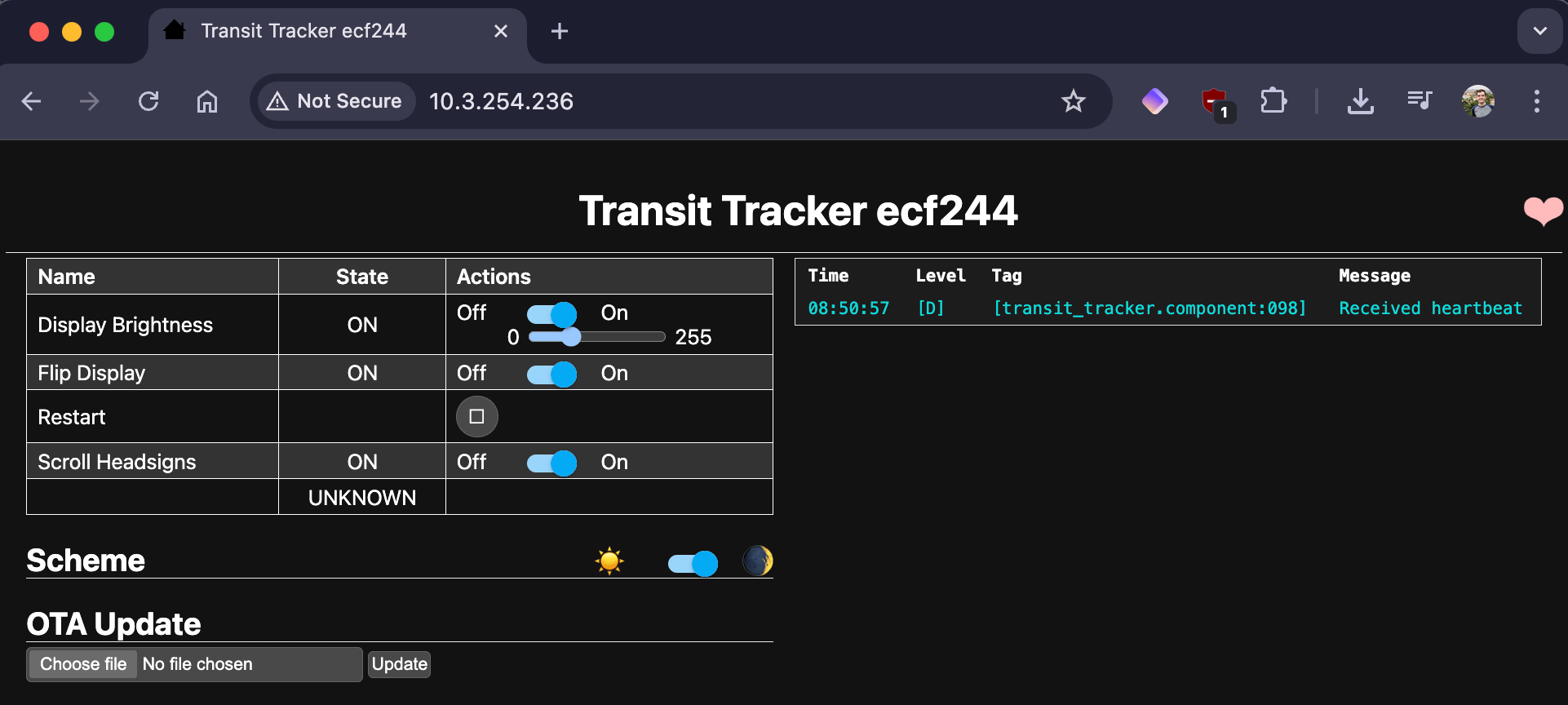
From there you'll be able to toggle the display orientation, brightness and restart it. I have an automation set up to dim the LEDs at night, as they are quite bright in dark spaces.
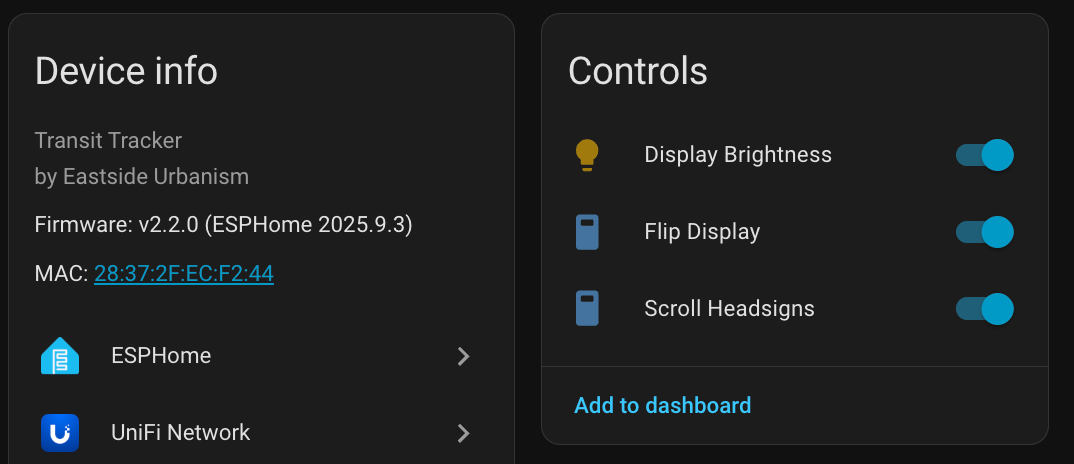 From what I gather, the abilities you get via ESPHome/HA are the same as those exposed via the board's simple web interface, pictured below.