Background
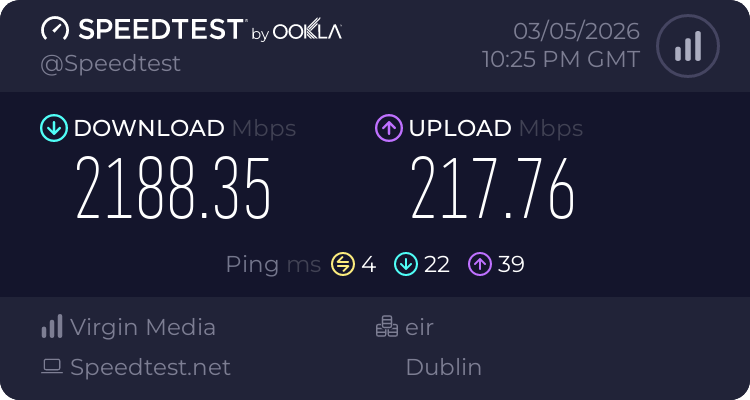
I recently upgraded my broadband to Virgin Media's 2Gb plan, having previously been on their 1Gb offering. One notable difference between these two service offerings in my area is that the 1Gb service was provided over the old coaxial TV network, whereas the 2Gb service is now provided on Virgin's own fibre to the home (FTTH) network.
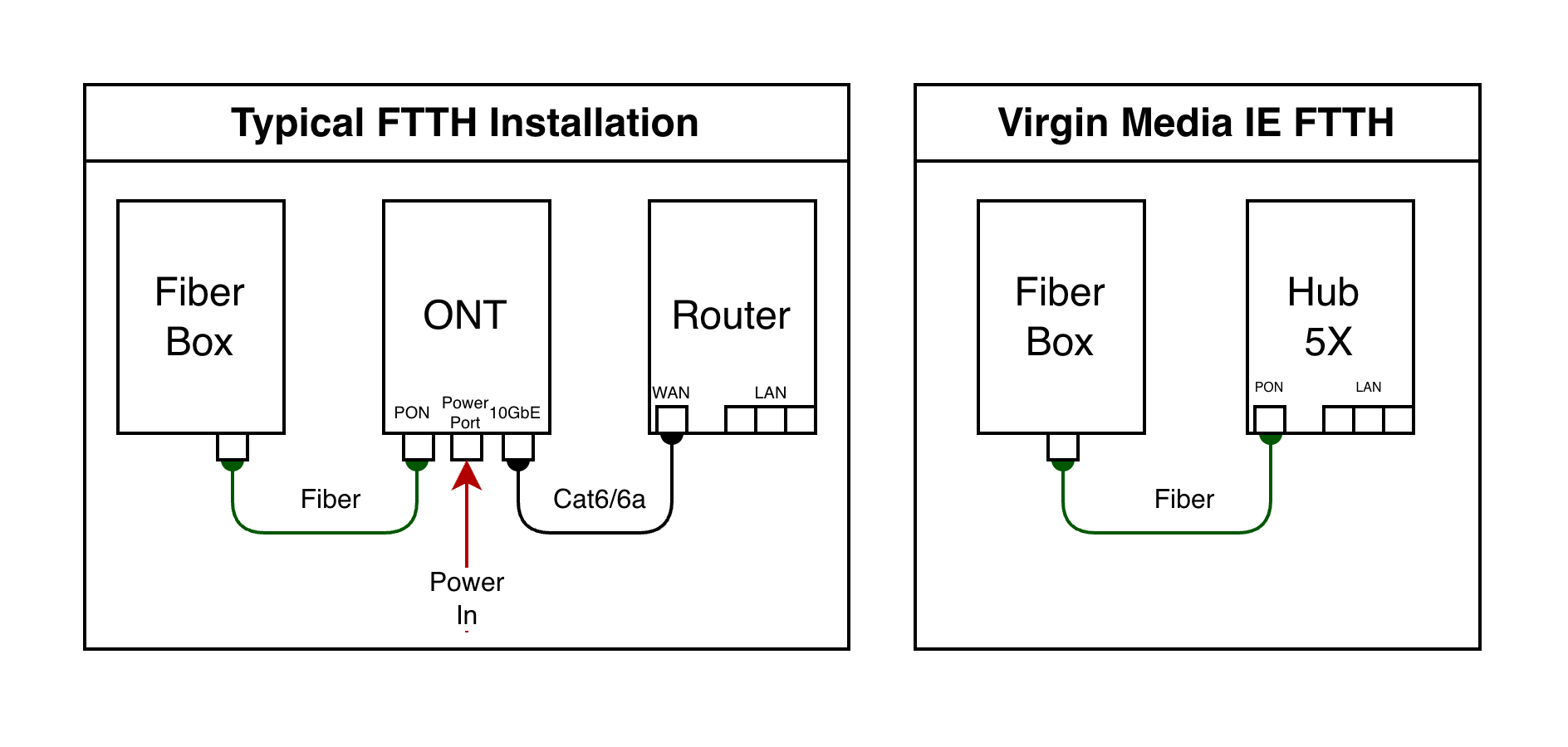
Anyone familiar with Virgin Media's fibre offering may also be aware of some limitations with the provided modem. In areas serviced by Virgin Media's own FTTH network (and not Siro or NBI, from what I can tell), the "Hub 5X" modem is provided. Unlike most other FTTH installations, this set up sees the fibre connect directly to the Hub 5X, which has an integrated ONT.
Modem Mode
If you plan on using the ISP provided router, then you won't really care about the integrated ONT. However, if you don't - then that's where things get a bit annoying. Virgin Media's Hub 5X does not provide a way to enable "modem mode" (bridge mode), allowing you to bypass their router and use your own, with a dedicated IPv4 WAN IP assigned directly to your router. This is a feature which is available on the modems they provide for use on their coaxial network.
Consequently, anyone upgrading to Virgin’s FTTH service with their own equipment will be stuck behind double NAT. Furthermore, you'll likely deal with DS-Lite (IPv4 tunneled over IPv6) and the joys of CGNAT (though this can be reverted back to IPv4 if you ask nicely on their support channels).
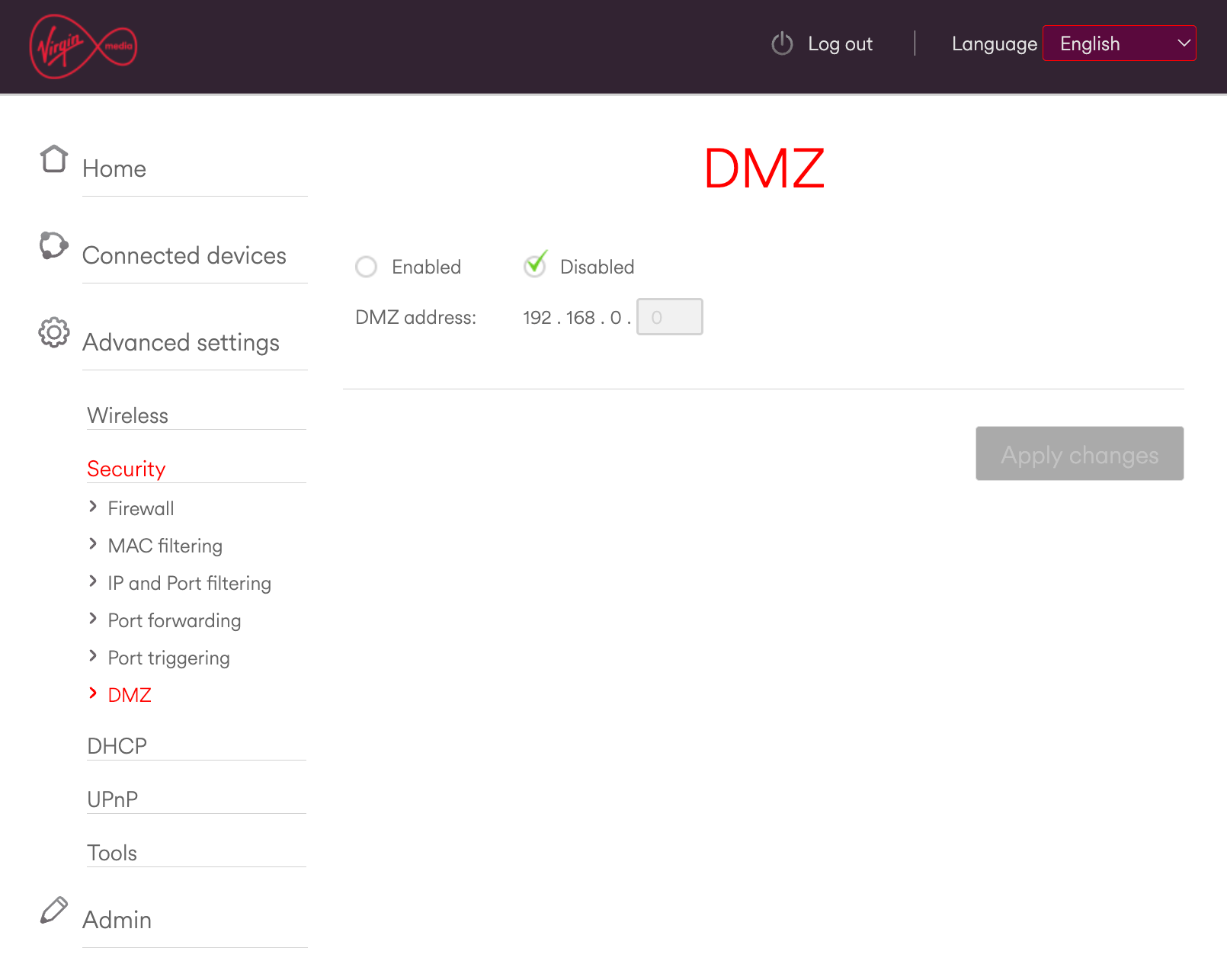
It is worth nothing that the Hub 5X does still have the option of putting a device in its DMZ. If you are using your own router - you might get by with simply putting that in the Hub 5X's DMZ, dealing with double-NAT and calling it a day.
Bypassing the Hub 5X
In my case, I have a sizeable homelab and am heavily invested in a Ubiquiti/UniFi network at home. Given that - I opted to bypass the Hub 5X entirely. I purchased a SFP+ form-factor ONT from the UK based Better Internet shop, linked below.
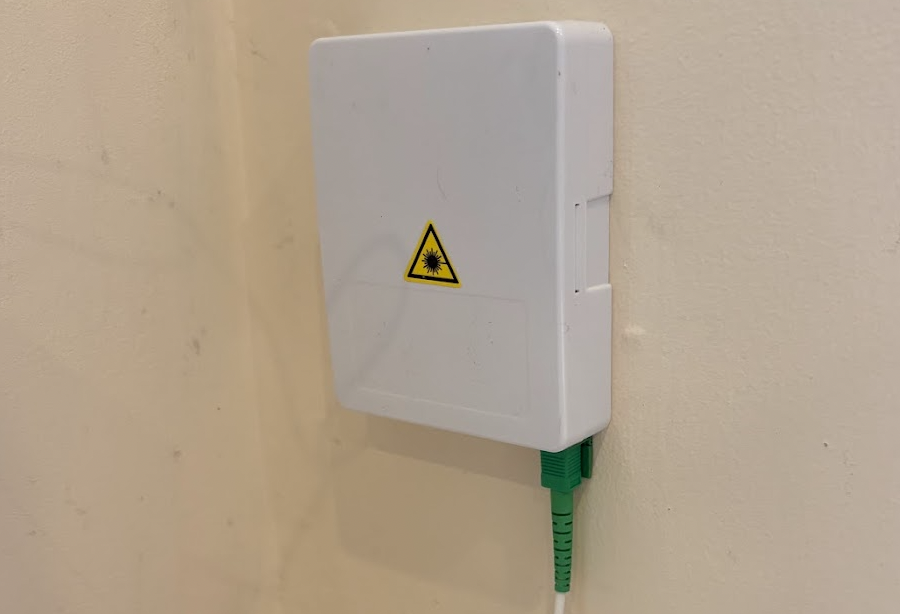
This module essentially allows me to connect an optical fibre cable from the box on my wall where the fibre enters my house, directly into my Ubiquiti Cloud Gateway Fiber.
The benefit here is that:
- Virgin Media's router is completely out of the equation. It remains powered off and in a drawer. (not that it needs to be said, but, do not expect to get any support from Virgin for internet issues with this setup...)
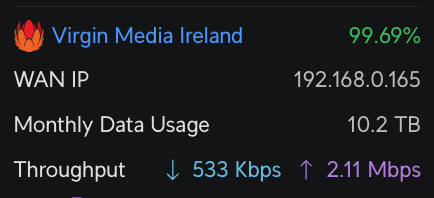
- My router is now serving as the boundary of my internet connection and is no longer behind double NAT. It has a WAN IP directly from Virgin Media, and I can expose internal services by port forwarding on my router once more.
- I have great satisfaction that I have got one over on 'the man'.
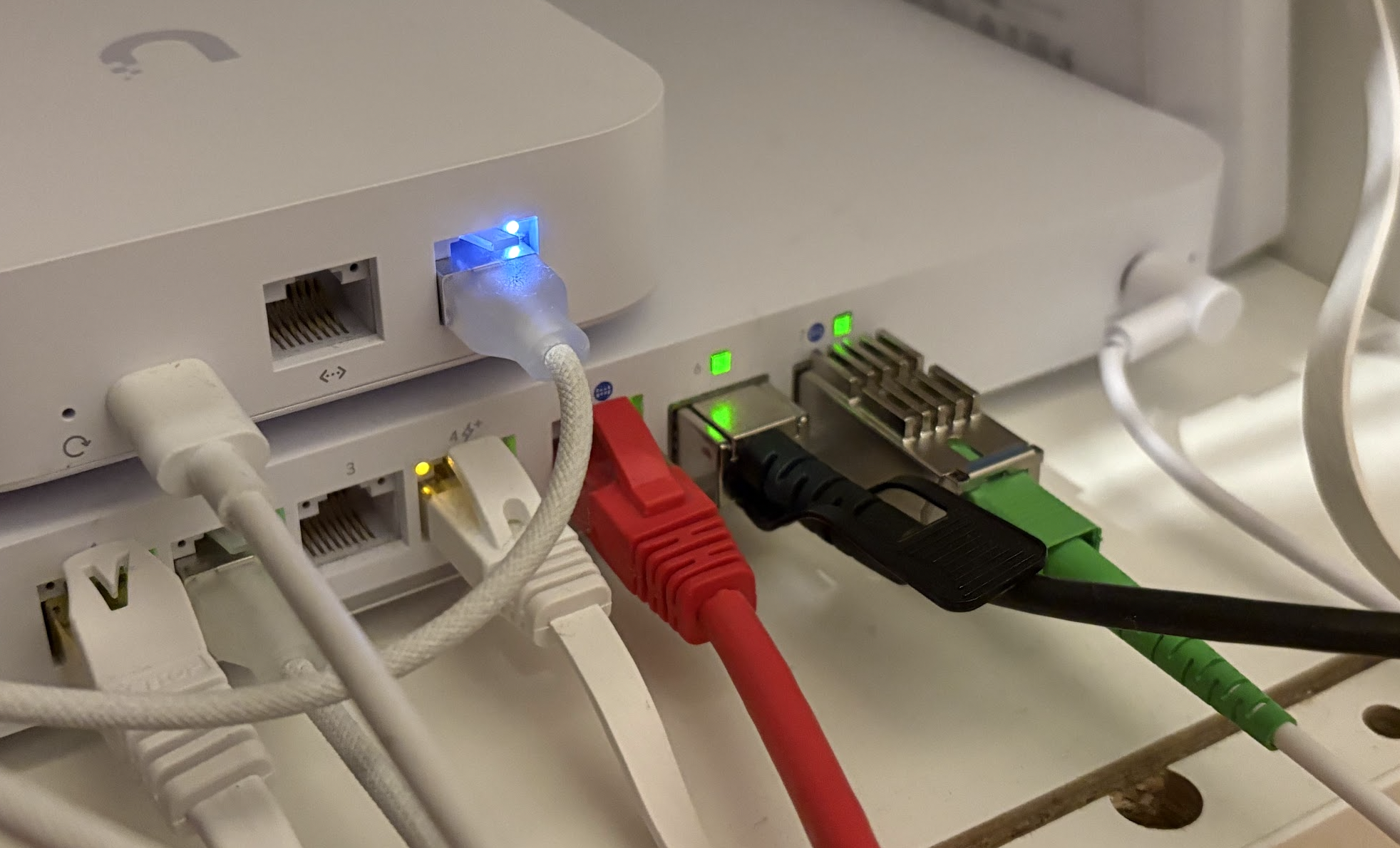
In the case of Virgin Media Ireland, the following needs to be done once the unit is plugged into your network.
- Tag the WAN interface where the device is connected with VLAN 10.
- Clone the MAC address on your Hub 5X. You can obtain this in your Virgin Media account online or on the label affixed to the bottom of the router.
- Have the PON Serial Number configured on the X-ONU-SFPP itself. (I supplied this with my order and so this was already done for me - however the brilliant pon.wiki has a guide on how to do this.).
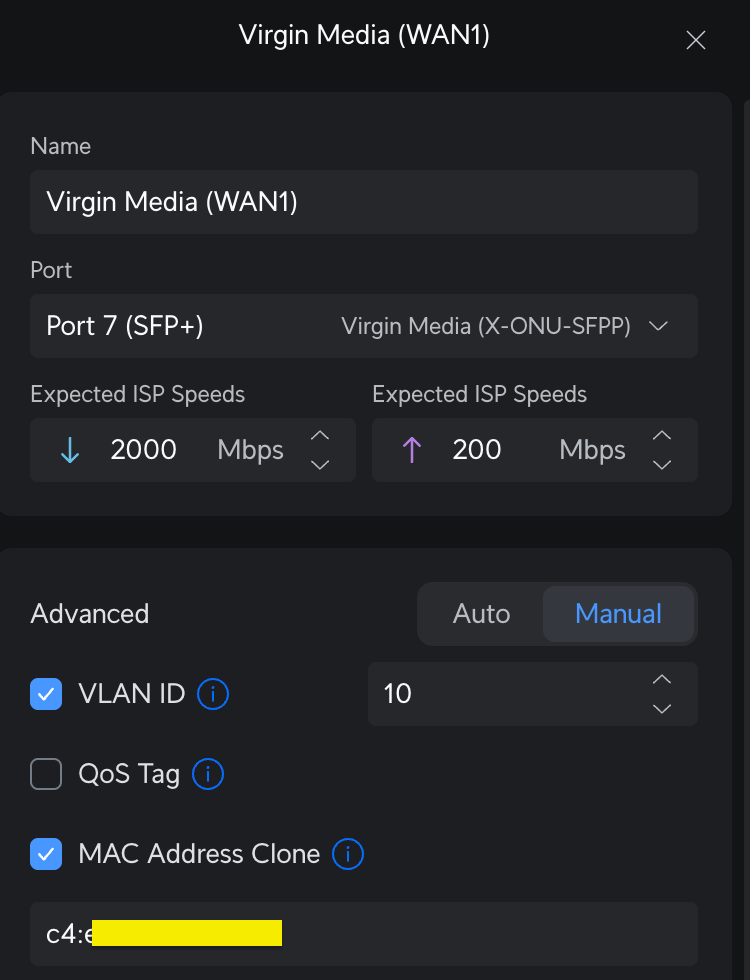
After that, I was up and running and I have been able to decommission the Hub 5X from my network entirely (it sits in a drawer now)!
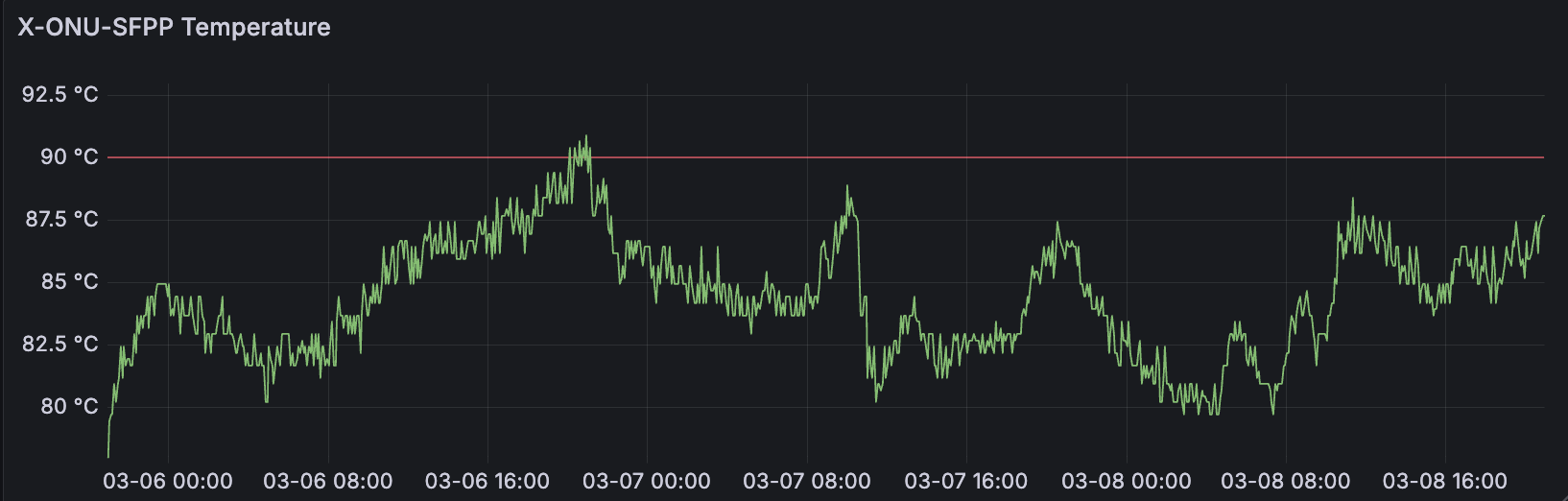
One point worth nothing is that the X-ONU-SFPP (and the WAS-110) get hot. As I write this, mine is sitting at a balmy 83.5℃. Many people online suggest pairing your order with a small fan to keep things a little cooler - however for now I am going to try without and see how things go.
Dual Stack IPv4 & IPv6
If you want to go dual stack, you can!
I configured my WAN interface for IPv6 by using DHCPv6 (rather than SLAAC which doesn't seem to work) and setting the Prefix Delegation size at /57, which is what Virgin Media are allocating on their network.
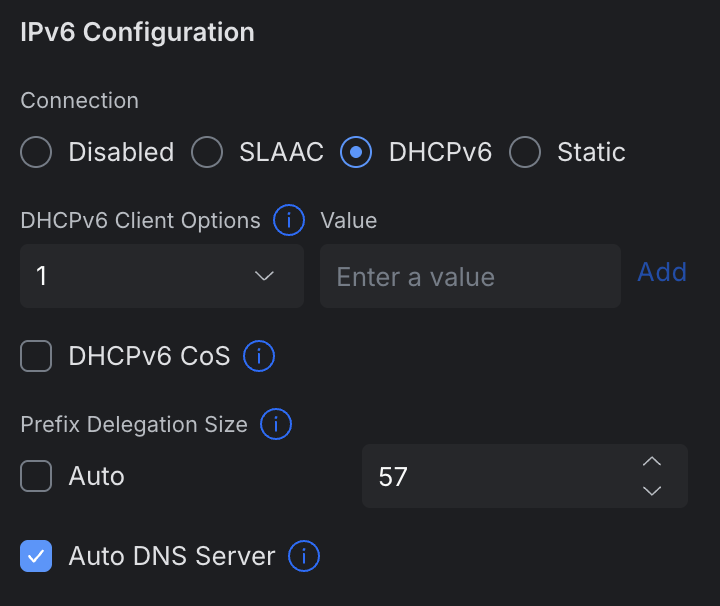
That should be enough for 128 different /64 subnets on your internal network.
Running ip addr on the UniFi gateway shows both the public IPv4 address assigned by Virgin Media as well as the /128 address vended to me over DHCPv6.
root@UniFi-Cloud-Gateway-Fiber:~# ip addr show dev eth6.10
22: eth6.10@eth6: <BROADCAST,MULTICAST,UP,LOWER_UP> mtu 1500 qdisc noqueue state UP group default qlen 1000
    link/ether c4:<cloned_mac_address> brd ff:ff:ff:ff:ff:ff
    inet 79.97.xx.yy/23 scope global dynamic eth6.10
       valid_lft 74921sec preferred_lft 74921sec
    inet6 2a02:8081:xx:yy/128 scope global dynamic
       valid_lft 43380sec preferred_lft 43380sec
    inet6 fe80::c6eb:43ff:feff:ed0/64 scope link
       valid_lft forever preferred_lft forever
Internally, you can use prefix delegation / SLAAC to enable dual stack routing for local devices to the IPv6 internet. I am still playing around all things IPv6 myself as I haven't had a dual stack capable network until now. So far, so good.
Further Reading / Resources
This post isn't really intended to be a guide, so if you're trying to figure things out, these two pages should hopefully get you going.
- https://pon.wiki/guides/masquerade-as-the-virgin-media-o2-hub-5x-with-the-was-110/
- https://fttppro.co.uk/replacing-the-hub-5x-with-a-was-110-sfp-module-on-virgin-medias-xgs-pon-broadband
Not sure who's network you'll be on?
One interesting thing I noticed recently is that when using Virgin Media's own 'address checker' service, they are returning a lot more data to the client than is displayed visually. Some of this is actually quite useful. If you open your browser's developer tools menu (F12), open the Network tab and proceed to search for services available at an address - inspect the response to the below endpoint.
https://api.virginmedia.ie/IE/MSP/ATM/Customer/v1.1/services/availableforaddress
Checking my own address using their API returns the below. "XGSPON" over service provider "VirginMedia".
    "NetworkSetting": [
        {
          "Type": "XGSPON",
          "NetworkServiceProvider": "VirginMedia",
          "XGSPON": {
            "INDICATOR": "Y",
            "XGSPON": "Y",
            "SELFINSTALL": 1,
            "PREMISEID": null
          }
      }
    ]
For reference, a Siro installation seems to appear as:
  "NetworkSetting": [
      {
        "Type": "XGSPON",
        "NetworkServiceProvider": "SIRO",
        "XGSPON": {
          "INDICATOR": "O",
          "XGSPON": "Y",
          "SELFINSTALL": null,
          "PREMISEID": "REDACATED"
        }
      }
    ]
With all that said - you could probably already deduce that from using Comreg's Broadband Checker.